Tiger CRM

🔔 Transform Your WhatsApp Business With Tiger CRM

Automate, Engage & Scale With Tiger CRM

Over 3000+ Businesses trust us to Power their AI – Driven WhatsApp CRM Solution

Features Of Our Platform

Pricing

In the first Three plans — Starter Plan, Basic Plan and Affordable Plan — you only get a limited number of free licenses. If you need more, you’ll have to purchase additional licenses directly from your admin panel.

However, in the Monthly Plan and Premium Yearly Plan, you don’t need to buy any extra licenses at all. You can create unlimited user licenses without any additional or hidden charges.

The Reseller plan is the same – you can allocate any of these plans to your resellers, and they can sell them at their own prices.

Basic Plan USD $50(INR 5000)/Month

Get started today, expand tomorrow

✔️ 30 free licenses each month (resets on the 10th of every month)

✔️ Just $5 (INR 500) per extra license

✔️ Bulk rate: $4(INR 400)/license for 10+

✔️ One Click Whitelabel Download – After Payment

Starter Plan💡USD $10(INR 1000)/ Month

✔️ One time 1 free licenses every month

✔️ $7(INR 700) per license (drops to $5(INR 500) for bulk)

✔️ Pay once a Month, launch anytime

✔️ One Click Whitelabel Download – After Payment

Affordable Plan USD $85(INR 8500)/Month

Unlimited power, zero limits

✔️ 100 free licenses each month (resets on the 10th of every month)

✔️ Just $5 (INR 500) per extra license

✔️ Bulk rate: $4(INR 400)/license for 10+

✔️ One Click Whitelabel Download – After Payment

Monthly Plan USD $100(INR 10000)/Month

Unlimited power, zero limits

✔️ Create Unlimited Licenses in Month

✔️ Zero per-license cost

✔️ Priority support & upgrades

✔️ One Click Whitelabel Download – After Payment

 Premium Plan USD $1000(INR 100000)/year

Unlimited power, zero limits

✔️ Create Unlimited Licenses in Year

✔️ Zero per-license cost

✔️ Priority support & upgrades

✔️ One Click Whitelabel Download – After Payment

Calculate Your Profits 😊

[plan_calc id="987"]
[plan_calc id="983"]
[plan_calc id="978"]

Type of Users

advanced divider
Admin can create resellers with whitelabel access and user licenses, set pricing, and manage everything under their own brand with full control and analytics
Direction Arrows
Admin Power
advanced divider
Reseller can create user licenses under your whitelabel brand, set their own pricing, and manage users with full access to license control and usage analytics.
Direction Arrows
Reseller Power
advanced divider
User License allows individual users to access and use the software with the features enabled by the reseller or admin, based on the plan assigned to them.
End User
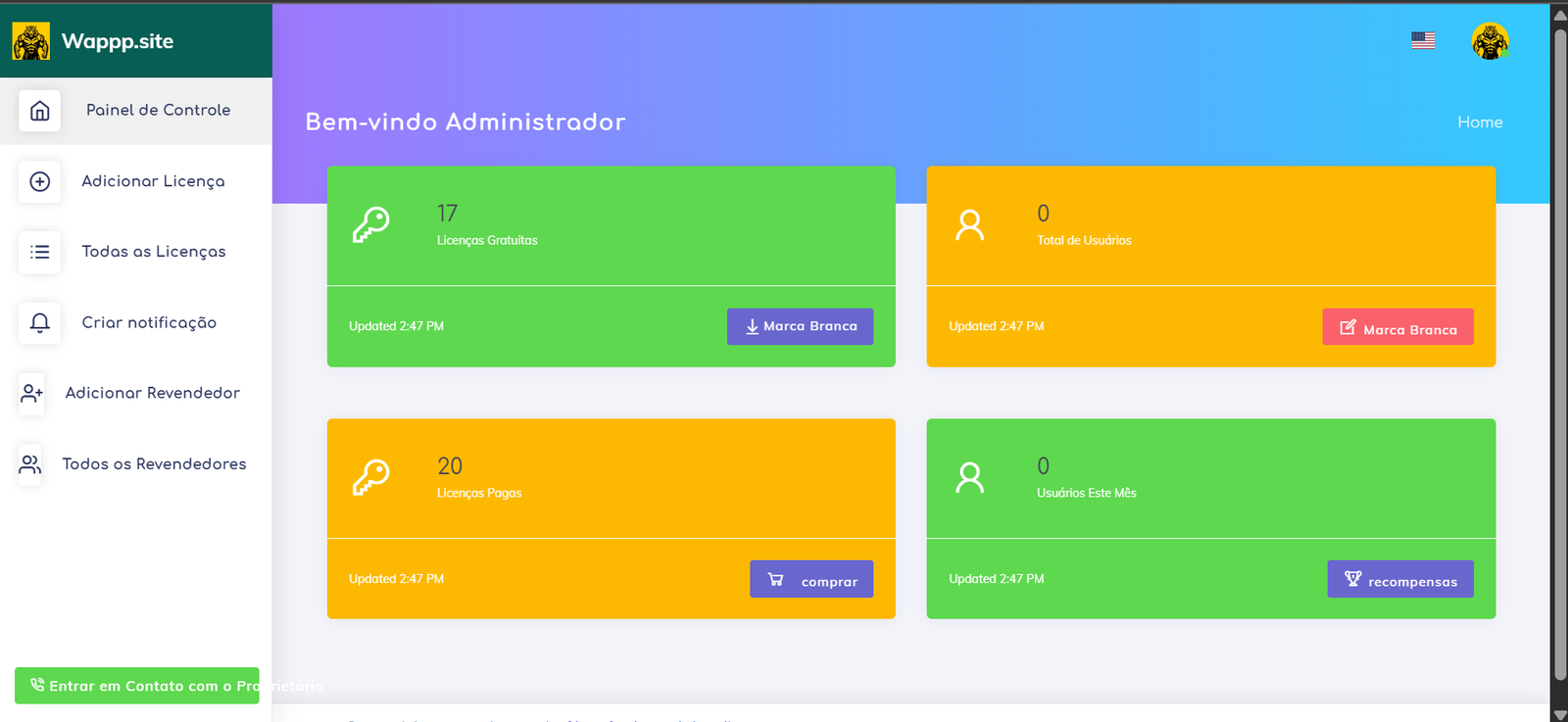
Our white-label CRM is available in Multiple Languages

English

português

español

Backend Panel Video

In this video, we walk you through the complete backend of Tiger CRM, specially designed for Admins, Whitelabel Genration, Liceses Creation.

✅ Admin and Reseller panels are separate
✅ Both Admin and Reseller can run their own white-label version
✅ Admin can create Resellers and Users
✅ Reseller can only create Users
✅ Set your own prices and sell under your own brand

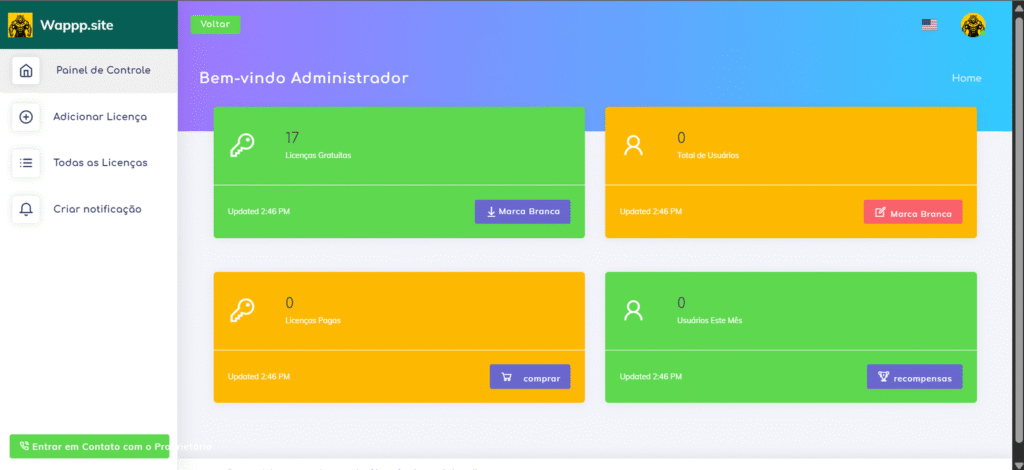
Backend Panel

🔷 Admin Panel

Admin has a separate backend panel where they can buy licenses and receive a scratch card, which may include free licenses. Admin can create, edit, and download Extension from panels. They can also log in to any reseller panel and sell licenses at their own price. The panel supports English, Portuguese, and Spanish languages. Admin can activate/deactivate users, update license dates, and give 3-day free demos (10 demos per day). Demos won’t deduct any license credits, and credits are only deducted when the user upgrades from demo to paid.

🔶 Reseller Panel

Reseller has a separate panel under the admin’s brand. Resellers can create user licenses, manage users, and sell licenses at their own pricing. Just like admins, resellers also get 10 free 3-day demos per day, and no credits are used for demos. They can upgrade demos to paid users based on pricing, and credits will be deducted only on upgrade. The panel is multilingual — available in English, Portuguese, and Spanish.

Features Of Tiger CRM

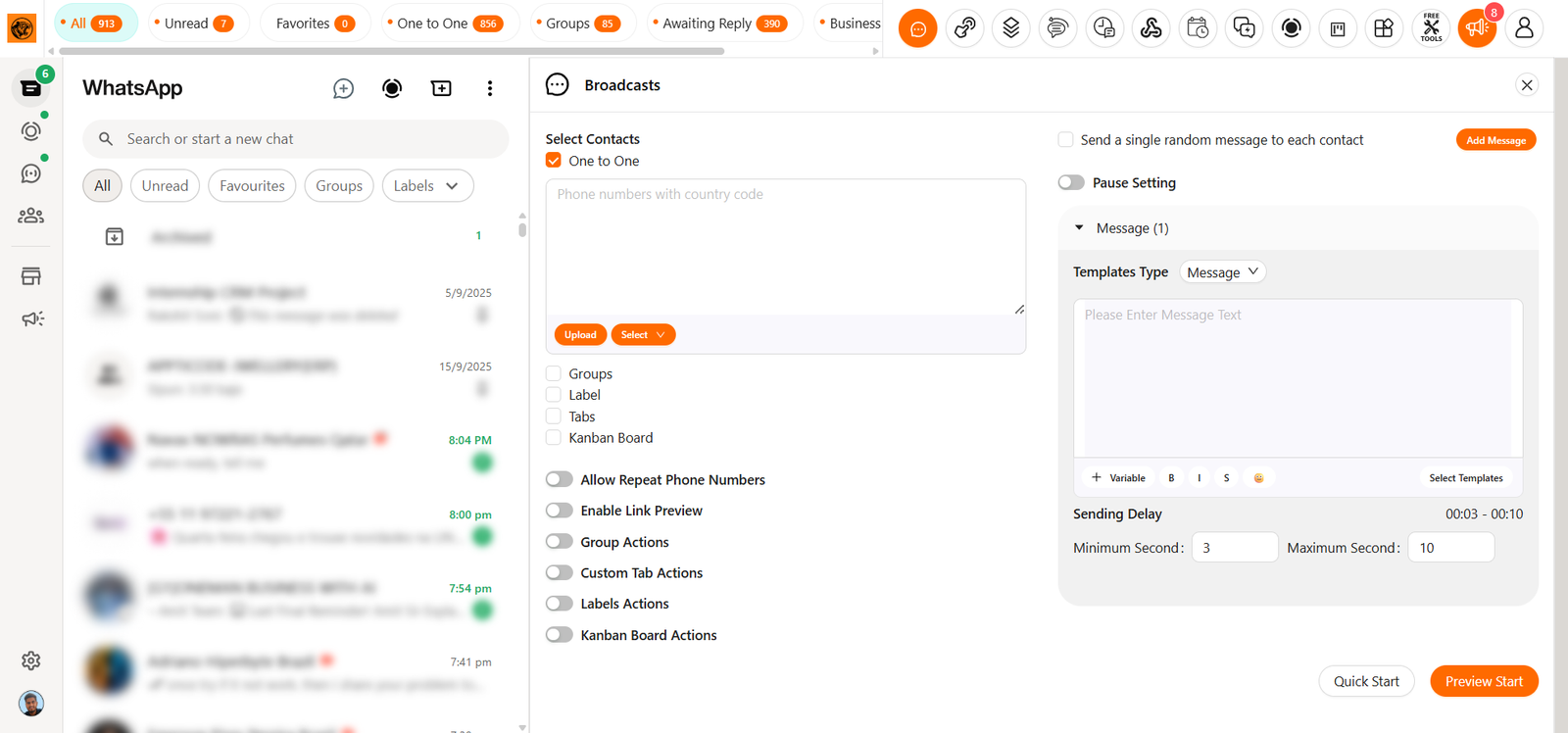
Bulk Messaging:

Reach your customers anytime with WhatsApp by sending messages, alerts, and important updates — and enjoy a high open rate of around 80%.
This means more people see your messages, more responses, and better chances to grow your business.

Collect leads with ease, manage all your contacts in one place, and convert them into paying customers quickly.
From first contact to final sale — handle everything smoothly and grow your sales faster.

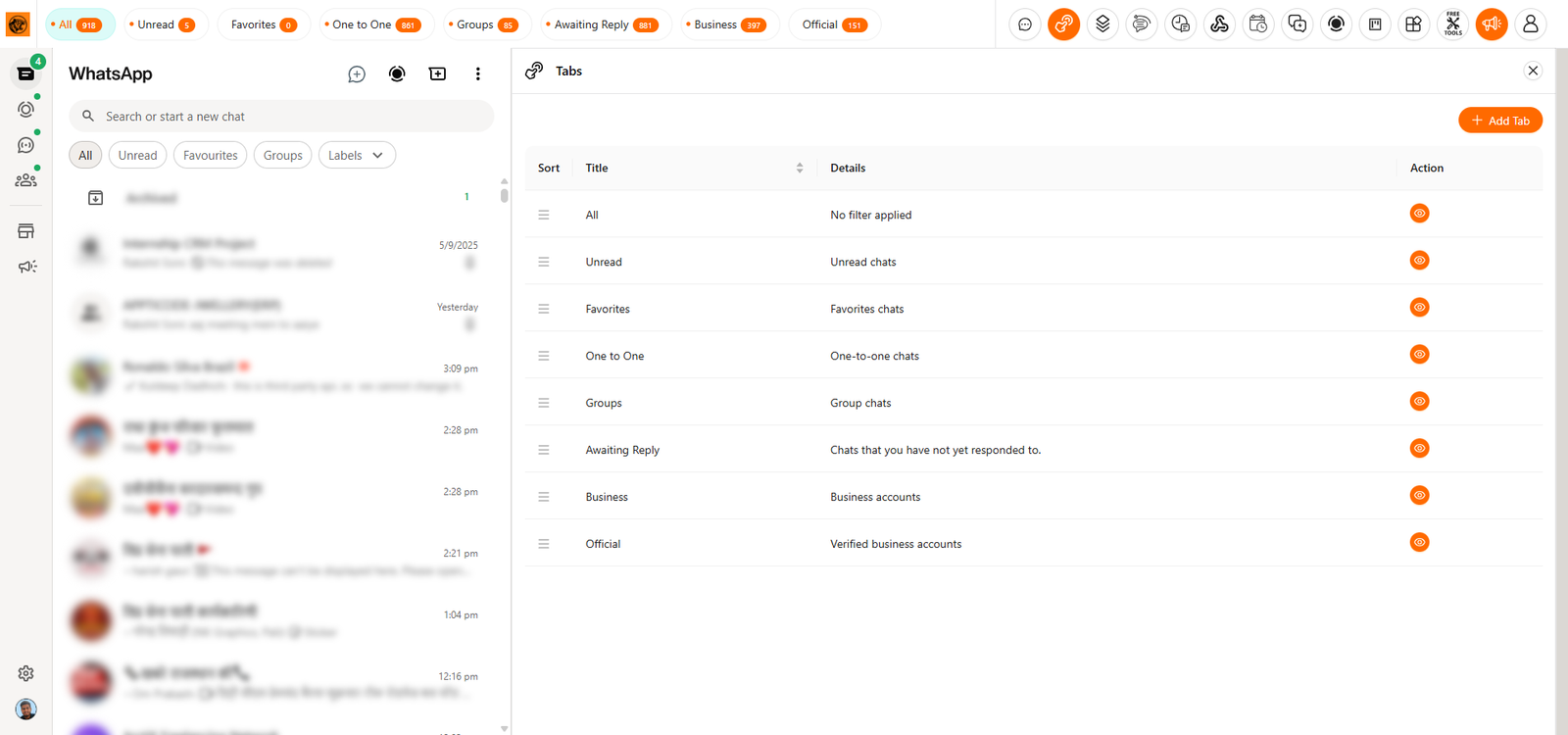
Tiger crm Extension Tabs Features

Create Unlimited Tabs:

Create unlimited tabs to keep your workspace neat and fully organized.
Easily manage chats, leads, tasks, and conversations by using as many tabs as you need.
Each tab can be customized to match your flow — group your work, separate your chats, and switch between tasks without any confusion.
Stay in control, save time, and handle everything smoothly with a layout that works best for you.

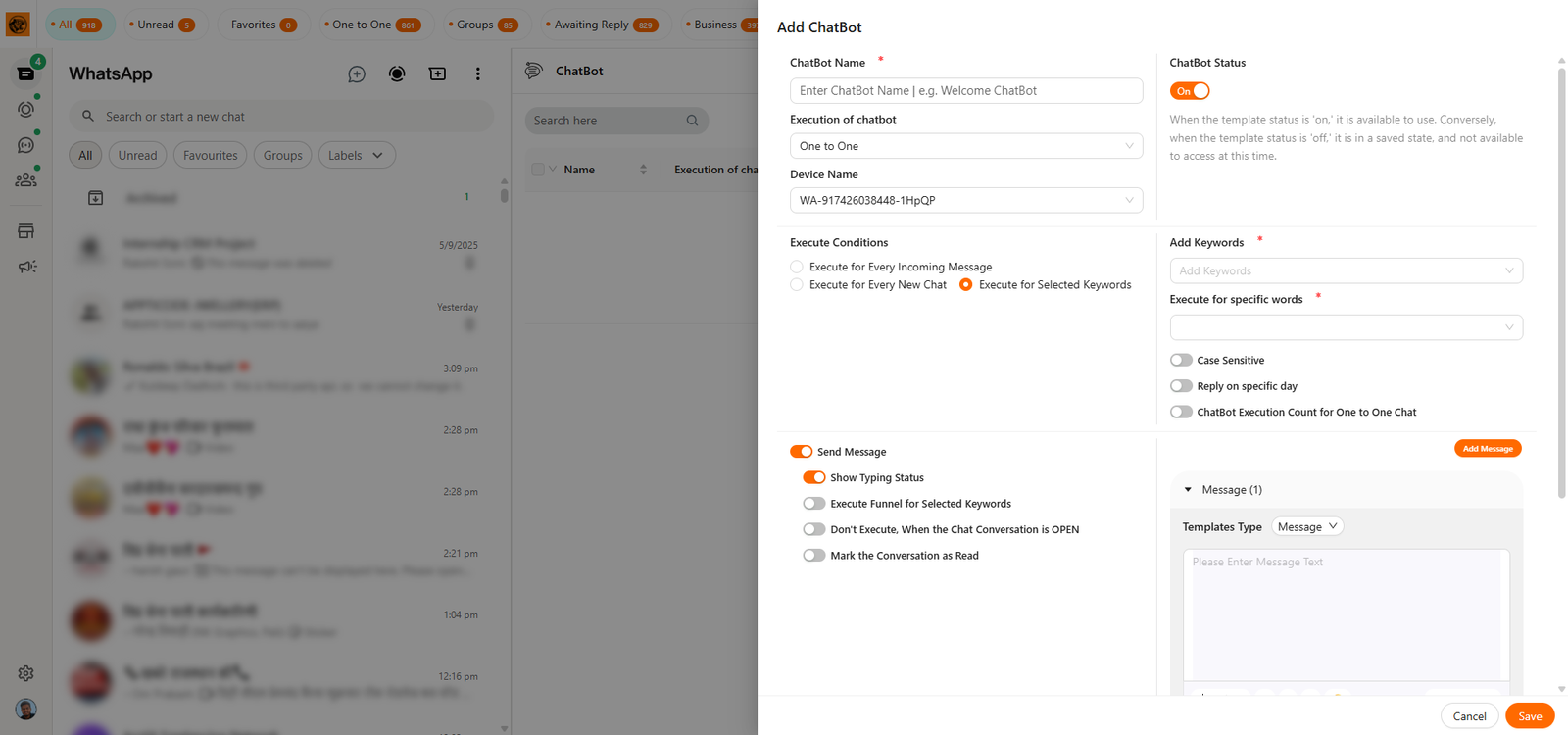
Automated Chatbots:

Automated chatbots reply to common questions instantly, so you don’t have to be online all the time.
They use keywords to detect what the user is asking and respond with smart, pre-set answers using Spintax to keep replies varied and natural.
Set up your chatbot once, and it will work for you 24/7 — handling repeated queries, saving your time, and keeping your customers happy.
Whether it’s about product info, pricing, or basic support, the bot takes care of it quickly and smoothly without any delay.

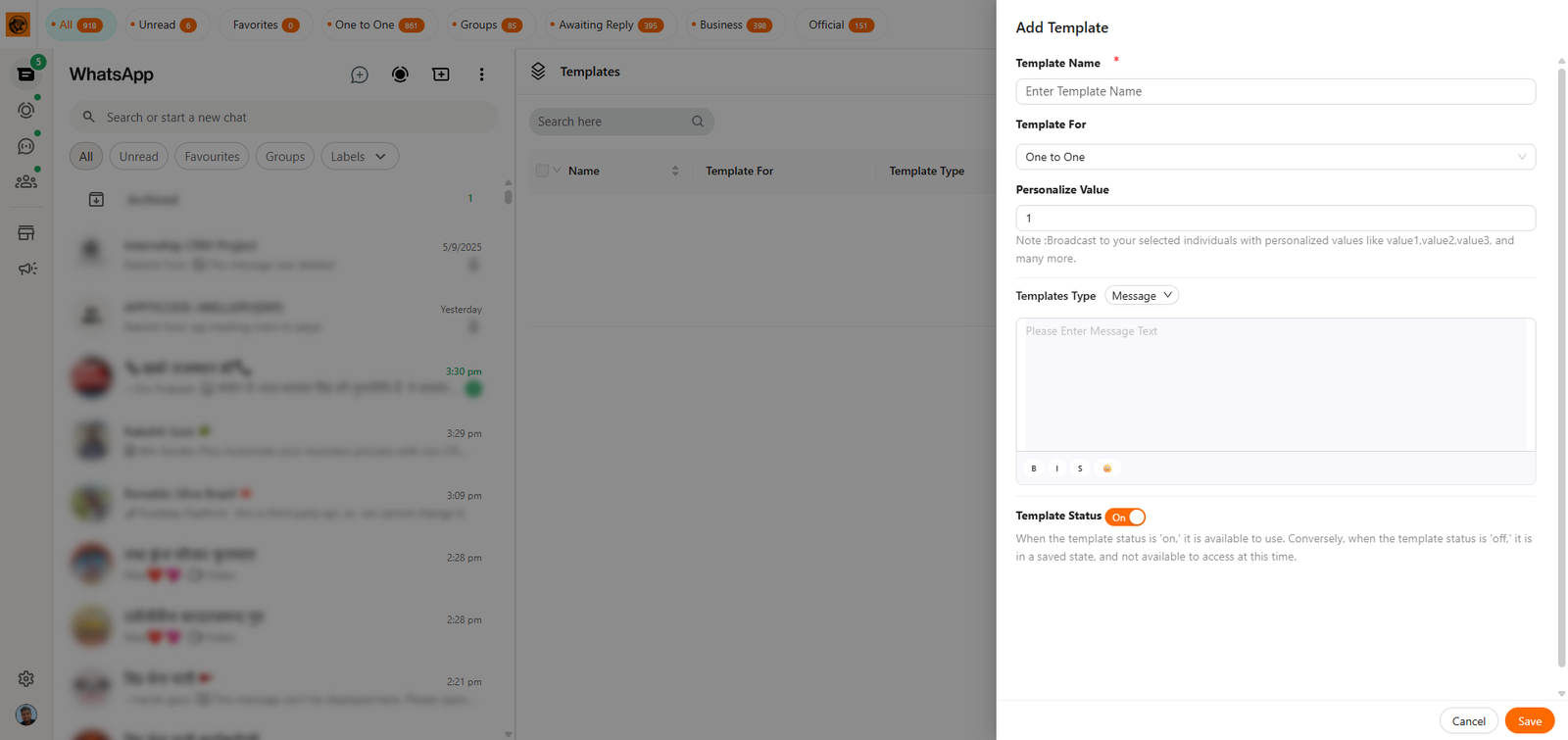
Create Templates for messages:

Create Template Messages lets you save your most-used replies as ready templates. Instead of typing the same text again and again, just create it once and reuse anytime. When sending bulk messages, simply pick the template and send instantly. This saves time, avoids mistakes, and keeps your communication fast and consistent. Stay organized, reply quicker, and manage conversations more efficiently with smart template messaging.

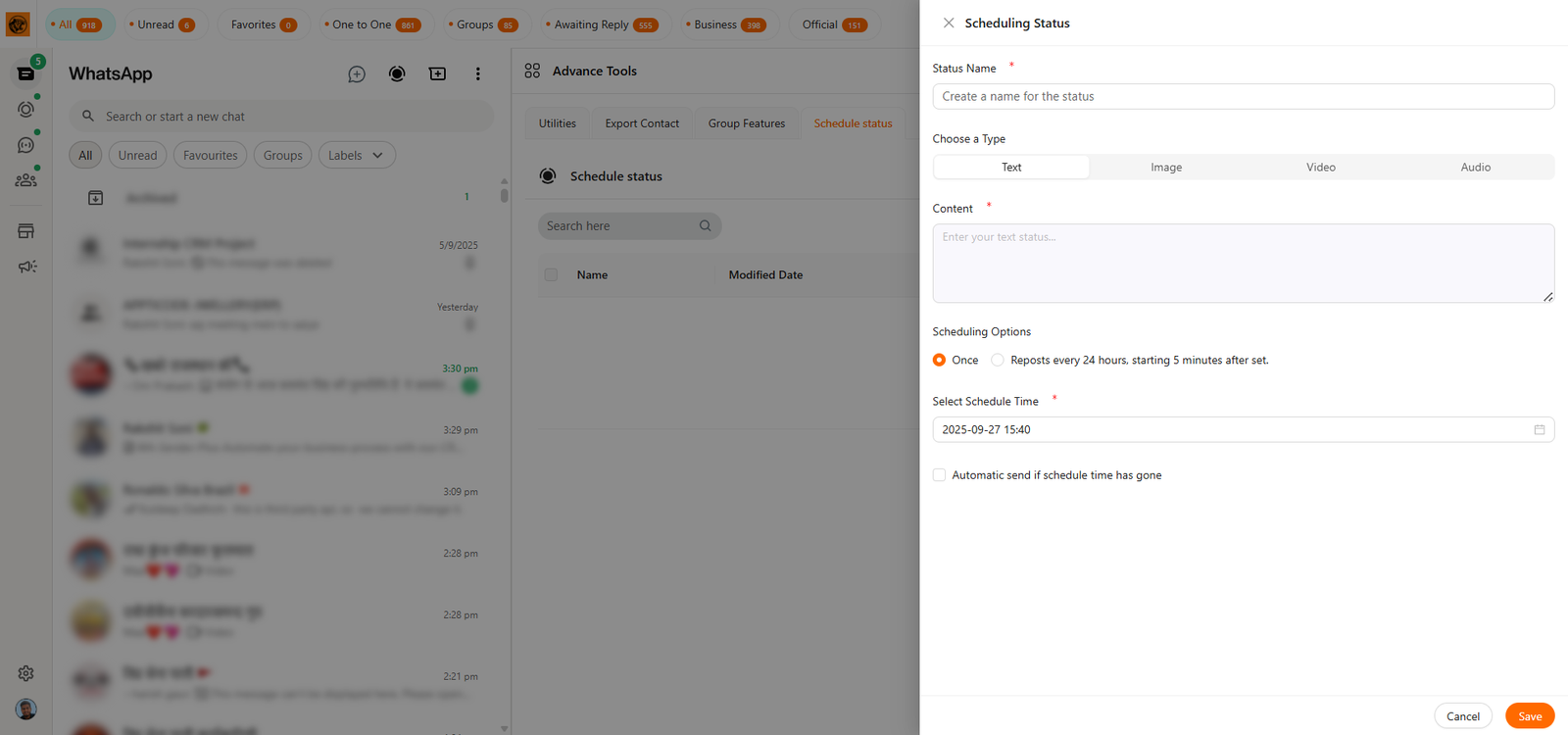
Create WhatsApp Status:

This extension makes it easy to create and share WhatsApp status updates right from your computer. You can quickly write messages, add photos or videos, and post them without opening your phone. It helps you save time and manage your WhatsApp status more conveniently. Whether you want to share daily updates, special moments, or important announcements, this tool gives you everything you need in one place.
tiger crm chrome extension Status Features
tiger crm chrome extension webhook Features

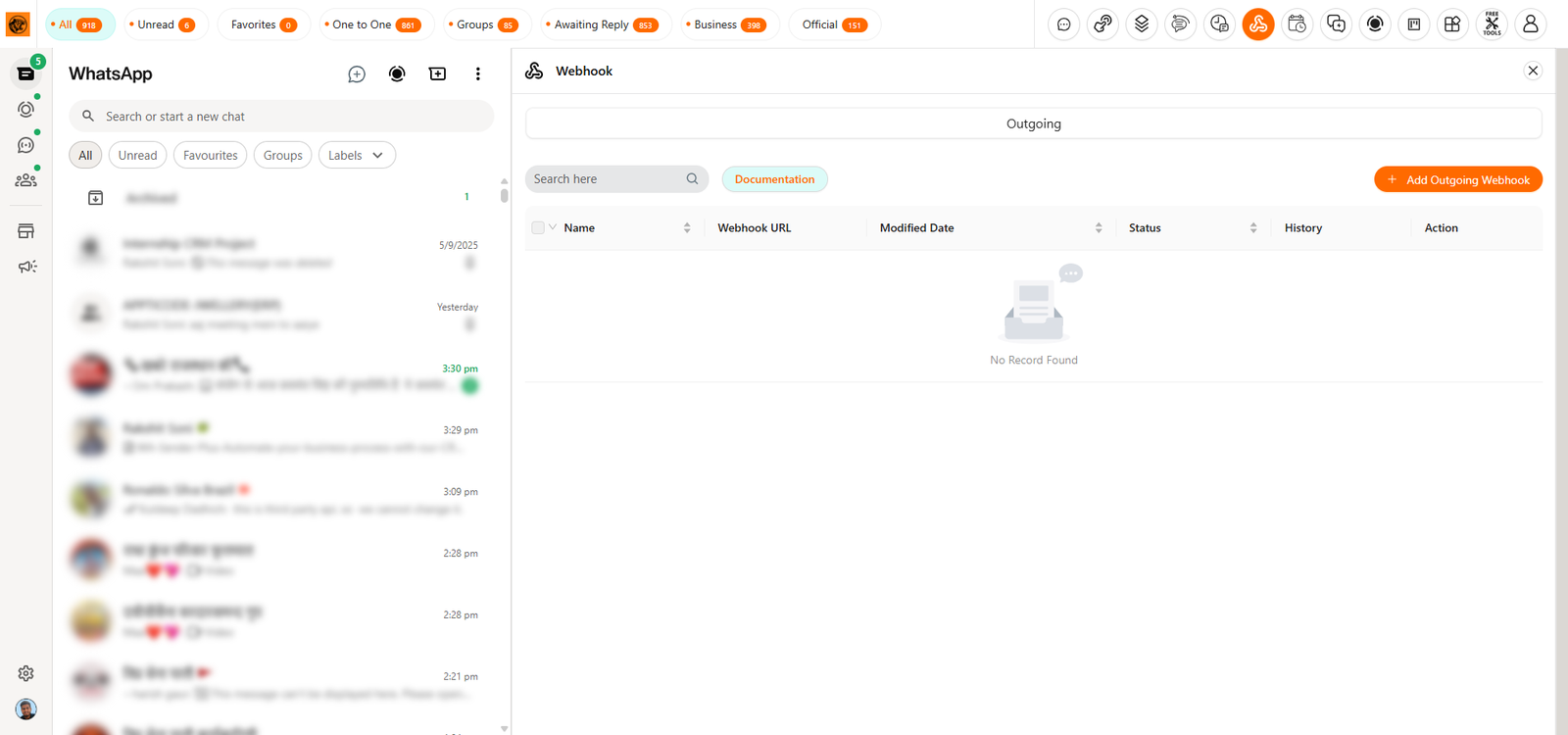
WebHook Integration:

Webhook Integration makes it easy to connect your CRM with other apps and platforms. Send contact data automatically to tools like Google Sheets, Bitrix24, ERP systems, and more after specific events. Just enter the webhook URL, choose the data to send, and activate it. This setup automates workflows, syncs leads in real time, and avoids manual work — keeping your system organized and always up to date.

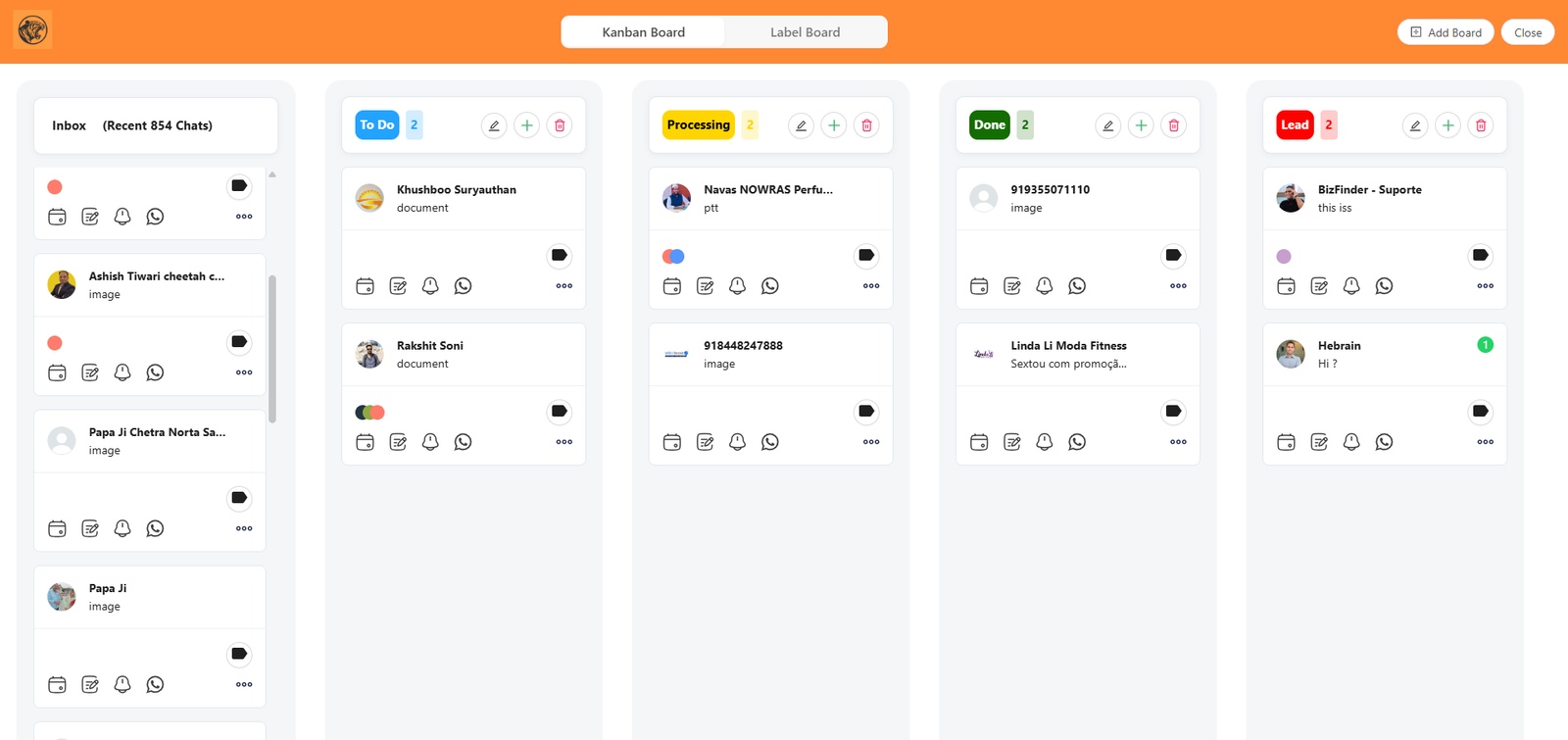
Label Kanban Dashboard:

Use the Kanban dashboard to track leads, manage tasks, and organize your sales process. Move cards between stages like “New Lead,” “In Progress,” and “Closed” to see where deals stand. Now, view WhatsApp labels in Kanban too — manage leads with both Dashboard Kanban and Label Kanban. Simple drag-and-drop design keeps your workflow updated so you never miss an opportunity.
tiger crm chrome extension Kanban Features

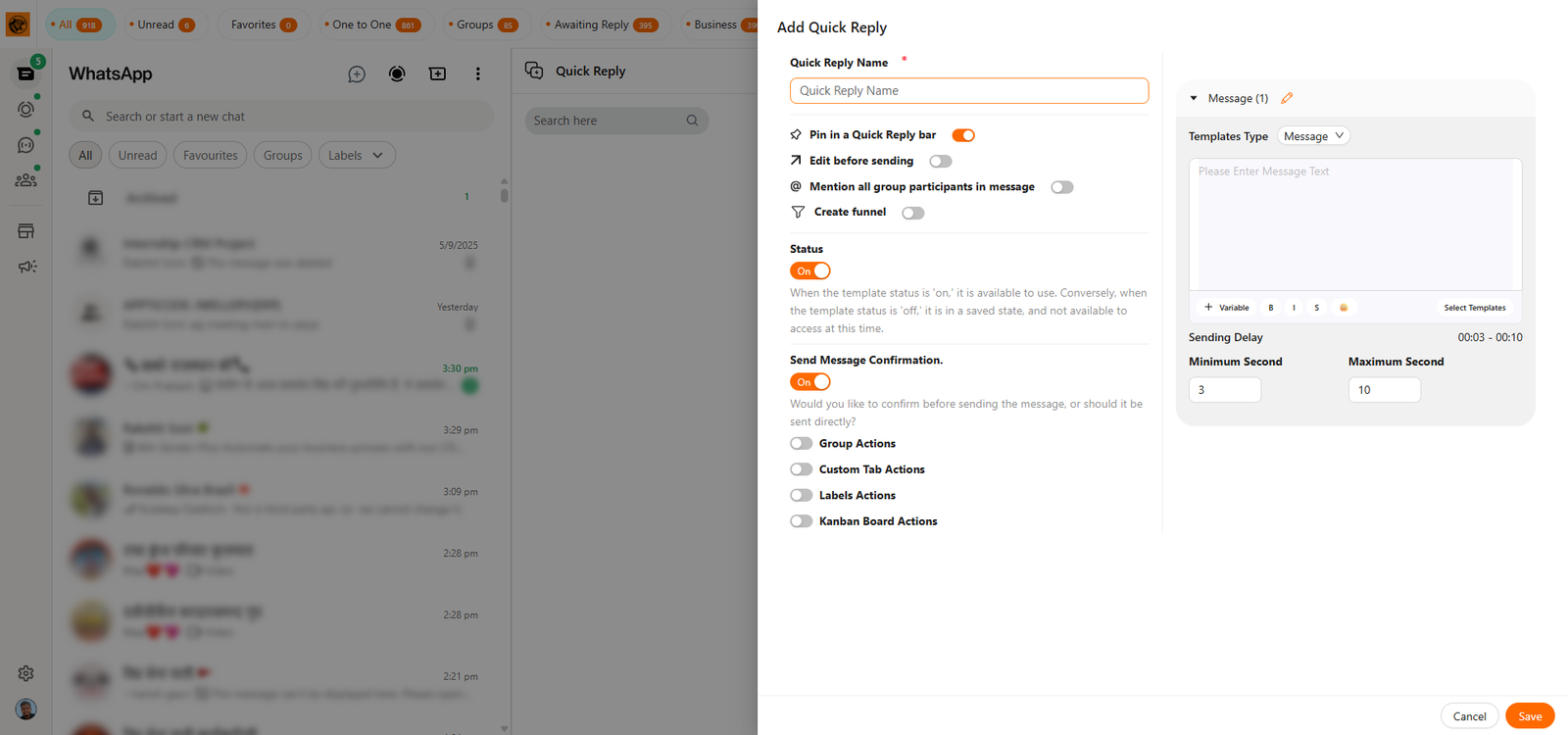
Quick Reply:

Quick Reply helps you save answers to common questions or long messages, even with images. Instead of typing them again during chats, just create a quick reply once and reuse it anytime. For example, if someone asks for your payment details, you can send the saved reply in a single click. This makes chatting faster, saves effort, and keeps your responses consistent and professional.

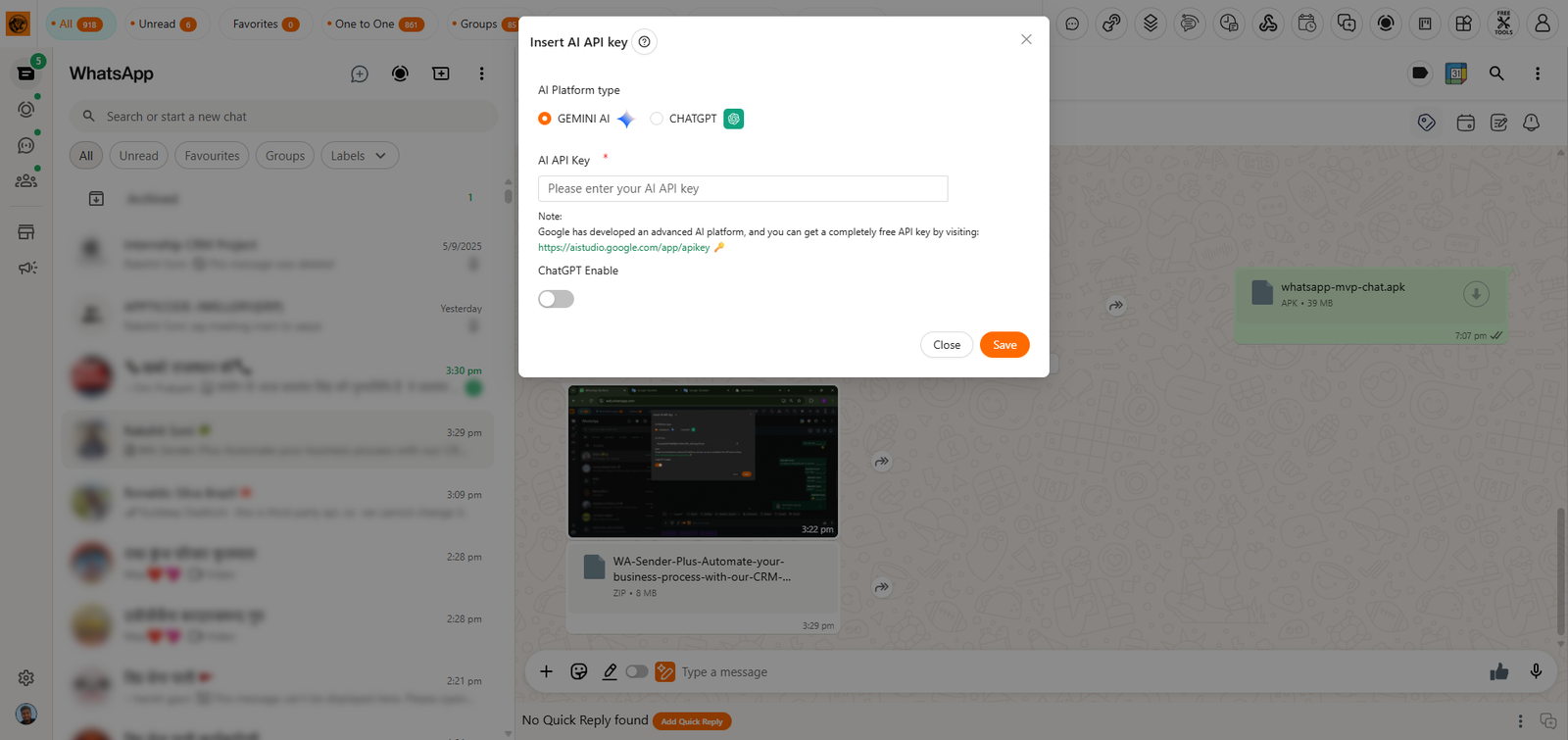
Chat GPT / Gemini Integration:

With ChatGPT and Gemini integration, you can create high-quality content, translate messages instantly, and get smart auto-replies without any delay.
This powerful AI support helps you write better, respond faster, and communicate more clearly — all inside your CRM.
Whether you’re chatting with customers, writing product descriptions, or replying in different languages, AI tools make the process quicker and easier.
Save time, reduce effort, and boost productivity with intelligent suggestions and real-time automation for your daily tasks.
Chat GPT / Gemini Integration in tiger crm

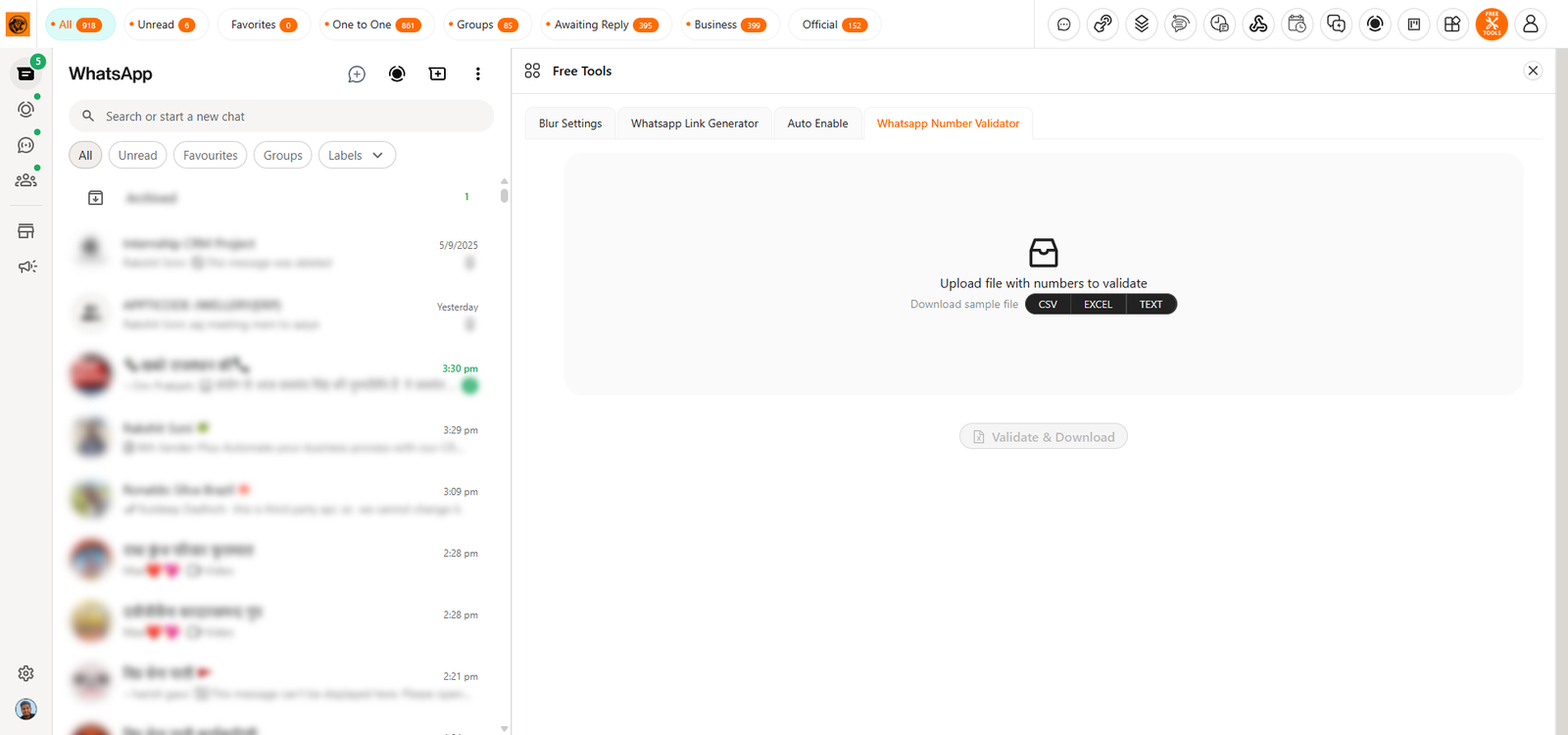
WhatsApp Number Validator:

lets you upload a raw data sheet of numbers and instantly checks which ones are valid and which are not. After validation, you can download the updated sheet with results, filter the data as needed, and even check individual numbers. This saves time, removes invalid contacts, and keeps your campaigns accurate by ensuring only real WhatsApp numbers are used for messaging.

tiger crm chrome extension Extra Features

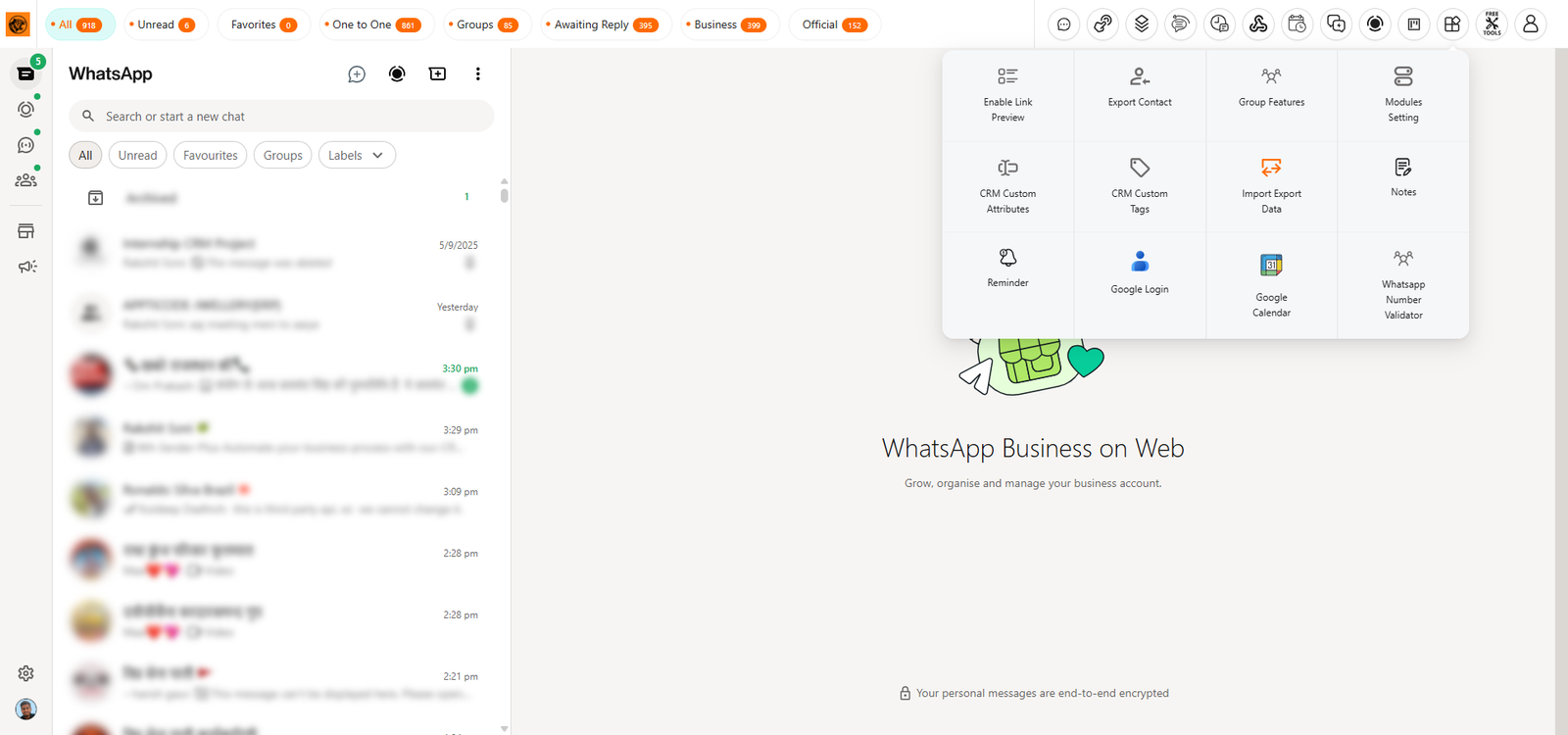
Extra Features:

Extra features give you more control and flexibility. Add notes for every customer to track conversations. Export contacts from groups or saved lists. Use privacy screen blur to hide content during recording. Attach Google links, sync with Google Calendar, and set personal reminders easily. Plus, import or export everything you’ve built — tabs, templates, or chatbots — making data backup, sharing, and migration simple, secure, and convenient anytime you need.
What You Get In White Label CRM:
Your logo on the CRM
Custom CRM name
Custom CRM description
All links with your branding
Updates within 72 working hours
Full support whenever needed
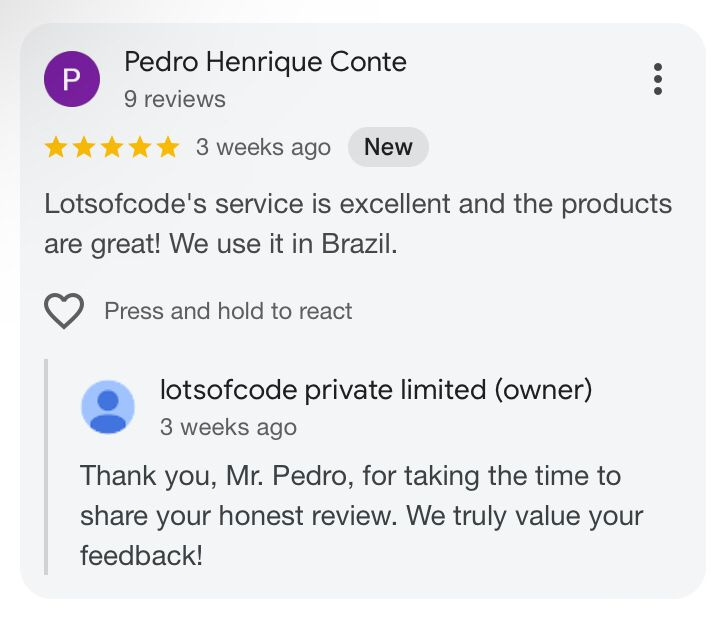
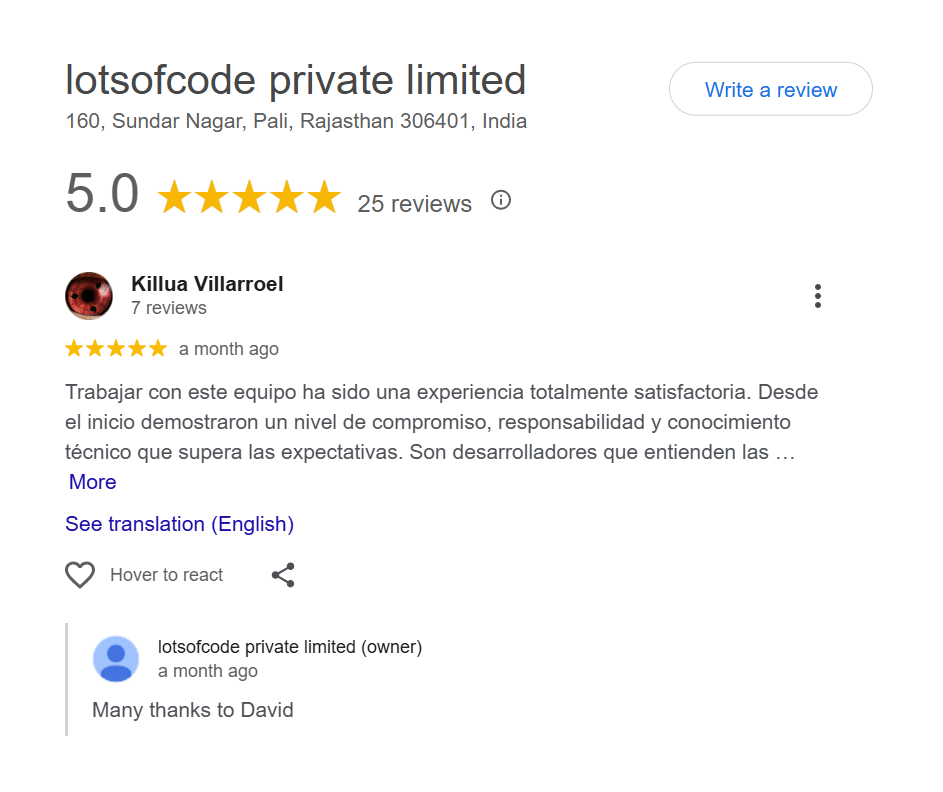
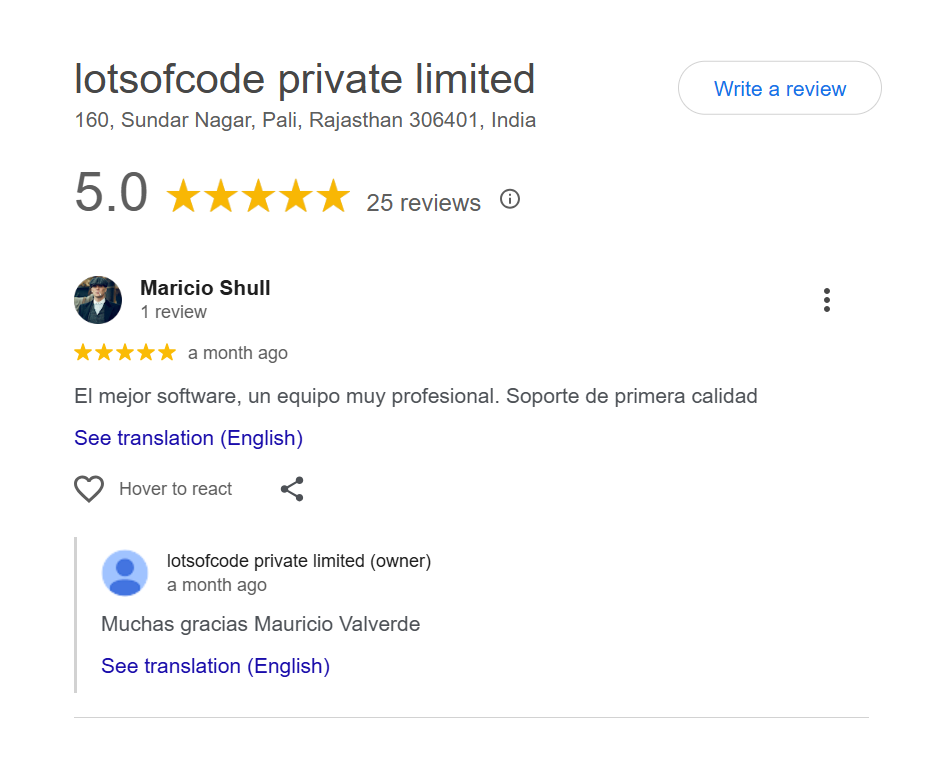
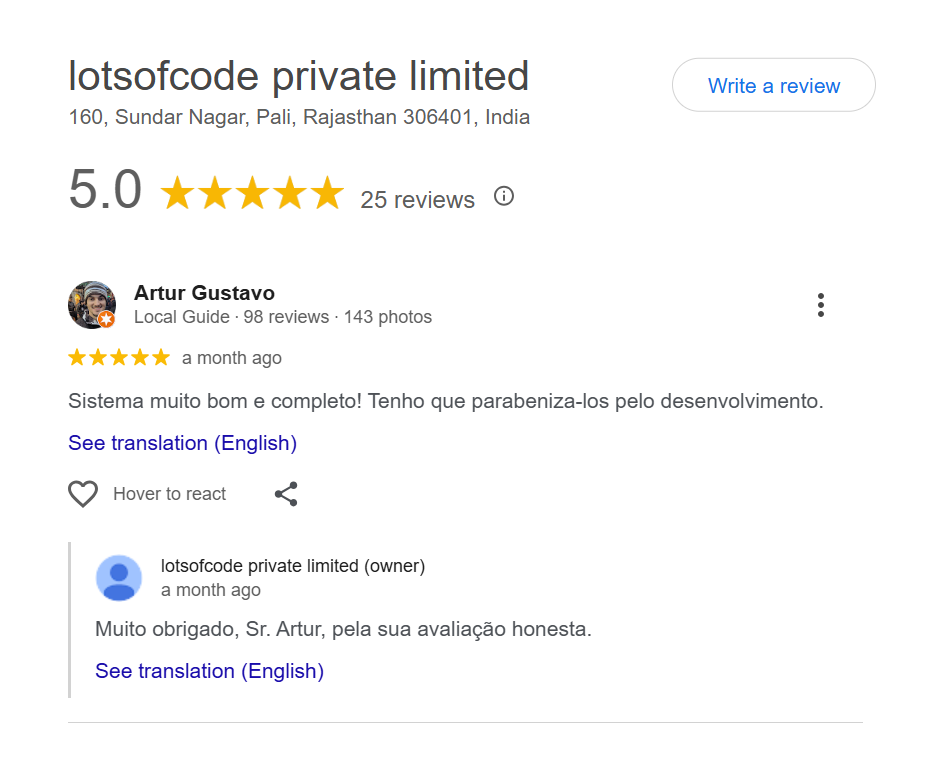
Feedback From Our Previous Attendees

Frequently Asked Questions

What is Tiger CRM Chrome Extension and how does it work?

Tiger CRM Chrome Extension is a Chrome extension that integrates with WhatsApp Web to enhance business communication with features like automation, AI tools, webhooks, Kanban boards, and follow-up funnels. It works directly within your browser.

No, Tiger CRM Chrome Extension does not work offline. Since it’s a Chrome extension, it only functions when your computer is on and the web.whatsapp.com tab is active. You must keep the tab open to utilize  Tiger CRM Chrome Extension features.

Not at all! Tiger CRM Chrome Extension is built for everyone, whether you’re tech-savvy or not. It’s easy to set up and use with an intuitive interface and step-by-step guidance.

Yes! Tiger CRM Chrome Extension allows you to schedule messages, reminders, and campaigns, ensuring you never miss a follow-up or important customer communication.

The Webhook features in Tiger CRM Chrome Extension enable seamless integration with third-party applications, allowing you to automate workflows, send real-time notifications, and synchronize data. These tools help businesses connect Tiger CRM Chrome Extension with their existing systems for enhanced productivity and functionality.

Absolutely. Tiger CRM Chrome Extension enables you to send bulk messages effortlessly, saving you time and reaching a wider audience in a single click.

The Blur Privacy feature in Tiger CRM Chrome Extension allows you to blur all contact names, messages, profile pictures, or images on your WhatsApp Web interface. This is especially useful when sharing your screen or WhatsApp Web with others, ensuring your private information remains hidden.

Yes, Tiger CRM Chrome Extension offers chatbot automation where you can set trigger rules, actions, and responses to handle routine queries and improve customer support.

Yes, your data is completely safe with Tiger CRM Chrome Extension.

Of course! Tiger CRM Chrome Extension includes a Kanban Dashboard to organize leads, manage follow-ups, and streamline your sales funnel effectively.

Yes, you can Resell and Earn with Us.

No, since this is a new panel, old licenses will not carry over. However, we’re adding a bulk import option. With the $100/month plan, you’ll get unlimited licenses every month, and at the same time you can bulk upload all your old customers into the new panel. Thanks!

Yes, in Tiger CRM Chrome Extension, the admin and reseller panels are completely separate.

Yes, both admins and resellers in Tiger CRM Chrome Extension can create their own whitelabel CRM panels.

📌 Pricing Plans

In the Starter Plan, Basic Plan, and Affordable Plan, you get only a limited number of free licenses. If you need more, you can purchase additional licenses directly from your Admin Panel.

In the Monthly Plan and Premium Yearly Plan, you don’t need to buy any extra licenses at all. You can create unlimited user licenses without any additional or hidden charges.

👉 The Reseller Plan is the same – you can allocate any of these plans to your resellers, and they can sell them at their own prices.


🌱 Starter Plan — USD $10 (INR 1000) / Month

Perfect for trying things out.
✔️ 1 free license every month
✔️ $7 (INR 700) per extra license (drops to $5/INR 500 for bulk)
✔️ Pay once a month, launch anytime
✔️ One-Click Whitelabel Download (after payment)


🚀 Basic Plan — USD $50 (INR 5000) / Month

Get started today, expand tomorrow.
✔️ 30 free licenses each month (resets on the 10th)
✔️ $5 (INR 500) per extra license
✔️ Bulk rate: $4 (INR 400) per license for 10+
✔️ One-Click Whitelabel Download (after payment)


💡 Affordable Plan — USD $85 (INR 8500) / Month

Unlimited power, zero limits.
✔️ 100 free licenses each month (resets on the 10th)
✔️ $5 (INR 500) per extra license
✔️ Bulk rate: $4 (INR 400) per license for 10+
✔️ One-Click Whitelabel Download (after payment)


🔥 Monthly Plan — USD $100 (INR 10000) / Month

Best for agencies & heavy users.
✔️ Create Unlimited Licenses in a month
✔️ Zero per-license cost
✔️ Priority support & upgrades
✔️ One-Click Whitelabel Download (after payment)


👑 Premium Yearly Plan — USD $1000 (INR 100000) / Year

Maximum savings, maximum freedom.
✔️ Create Unlimited Licenses for a year
✔️ Zero per-license cost
✔️ Priority support & upgrades
✔️ One-Click Whitelabel Download (after payment)

Yes, you need a separate plan for your reseller account in Tiger CRM Chrome Extension. You can choose any one of the 5 plans for your reseller account.
For example, if you choose the $10/month plan, you’ll get 1 free license every month. If you need more, you must purchase them from the admin panel.

Only admin accounts can access the license purchase portal — resellers cannot buy licenses directly.

Go to the Reseller Panel and use the “Create Reseller” option.

After creating a reseller, go to All Resellers and log in to the desired reseller’s account.

From the reseller panel, you can:

✅ Create or edit your own whitelabel panel

✅ Download your whitelabel extension

✅ Add users under your brand

However, keep in mind:

❌ Only admin accounts can see the “Buy License” option.

❌ Resellers cannot buy licenses directly.

✅ Admin must log in and buy additional licenses, which can then be used by resellers to add more users.

So, resellers can manage branding and user creation, but license purchasing is only allowed from the admin account.

No, you cannot add your own payment gateway to either the admin or reseller panel.
All payments are handled through the default system provided by Tiger CRM Chrome Extension.

No, the backend of both the admin and reseller panels will remain hosted on our servers and domain.
You cannot host the backend on your own domain.

✅ You will receive the extension code in a downloadable ZIP file, which you can install manually.
❌ However, the backend code is not shared with anyone — it remains fixed and securely hosted by our system.

✅ When you create a whitelabel, you will receive a ZIP file containing:

  1. The Chrome extension code

  2. Api Documentation in extension.

No, the admin plan and reseller plan are completely separate in Tiger CRM Chrome Extension.

Even if you purchase the Premium Plan with unlimited free user licenses, it will apply only to your admin panel.

✅ Your resellers will still need to buy their own separate plan if they want to create users or access licenses.
Licenses from the admin plan cannot be shared or transferred to reseller accounts.

If we find that someone has created an unauthorized copy after activating any plan, their access — including all users, admins, resellers, and white-label accounts — will be permanently suspended without any prior notice. They will also lose eligibility for future updates, support, or services from our platform.

Such violations are treated seriously, and legal action may be taken if required to protect our platform and genuine users.